

 Home
Home Model APIs
 Serverless
 Compute
 Examples
 Reference
Prerequisites
- An n8n account (https://n8n.io/)
- A fal account (https://fal.ai/dashboard)
- A fal API key (generated from your account dashboard)
Workflow Overview
This n8n workflow consists of three main HTTP requests:Step 1: Create Your Workflow
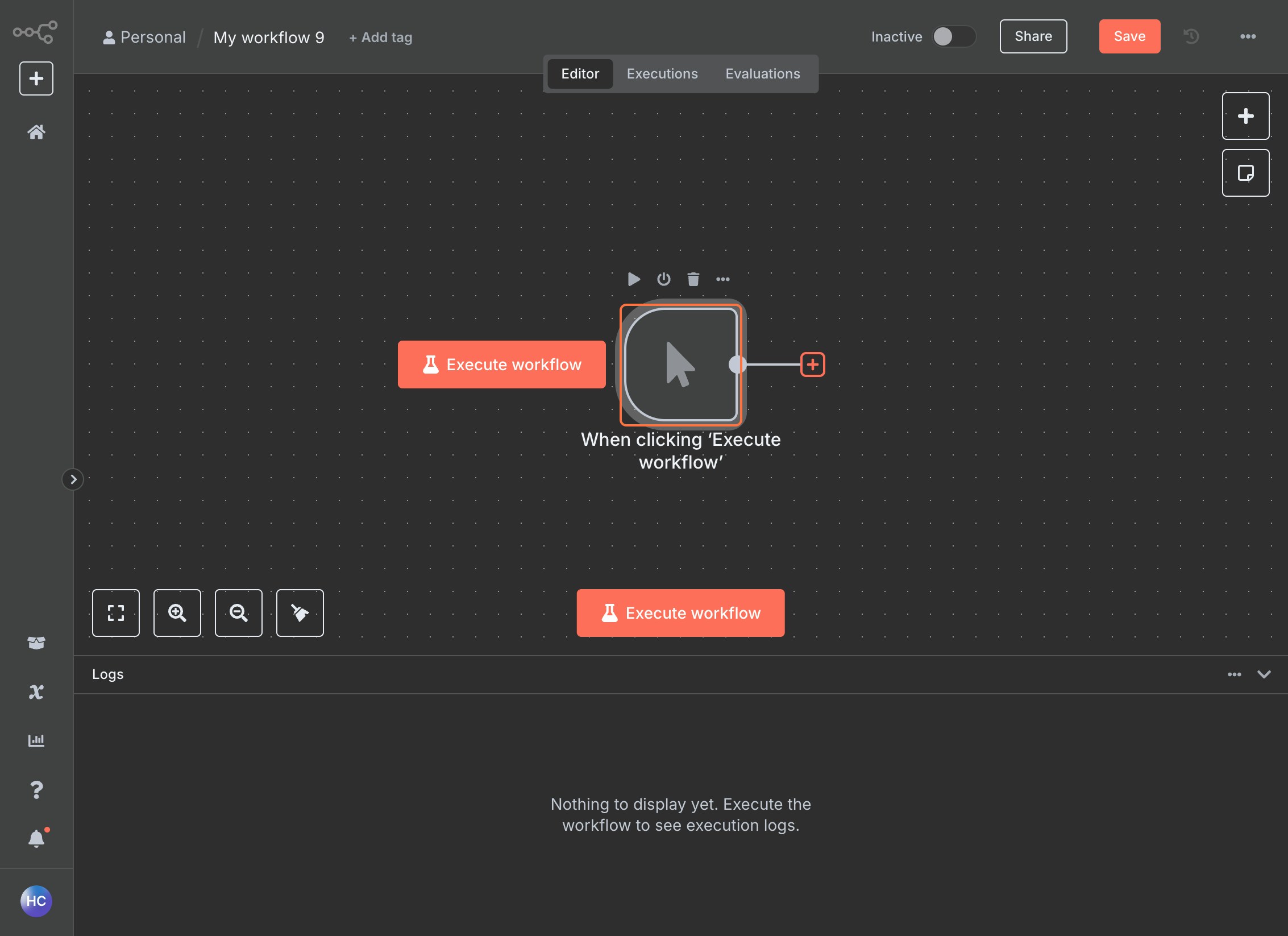
Step 2: Submit Request (POST)
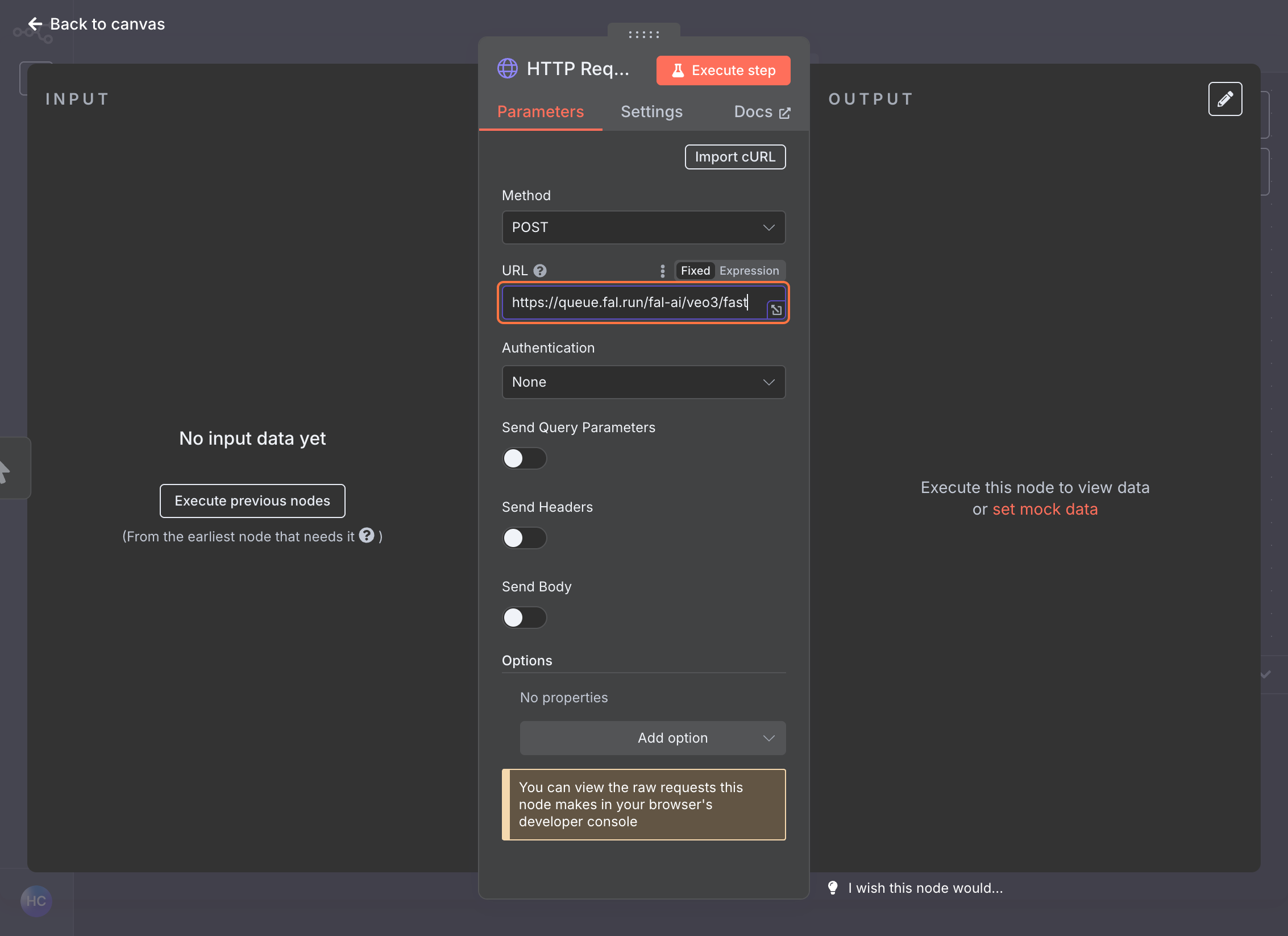
Add HTTP Request Node
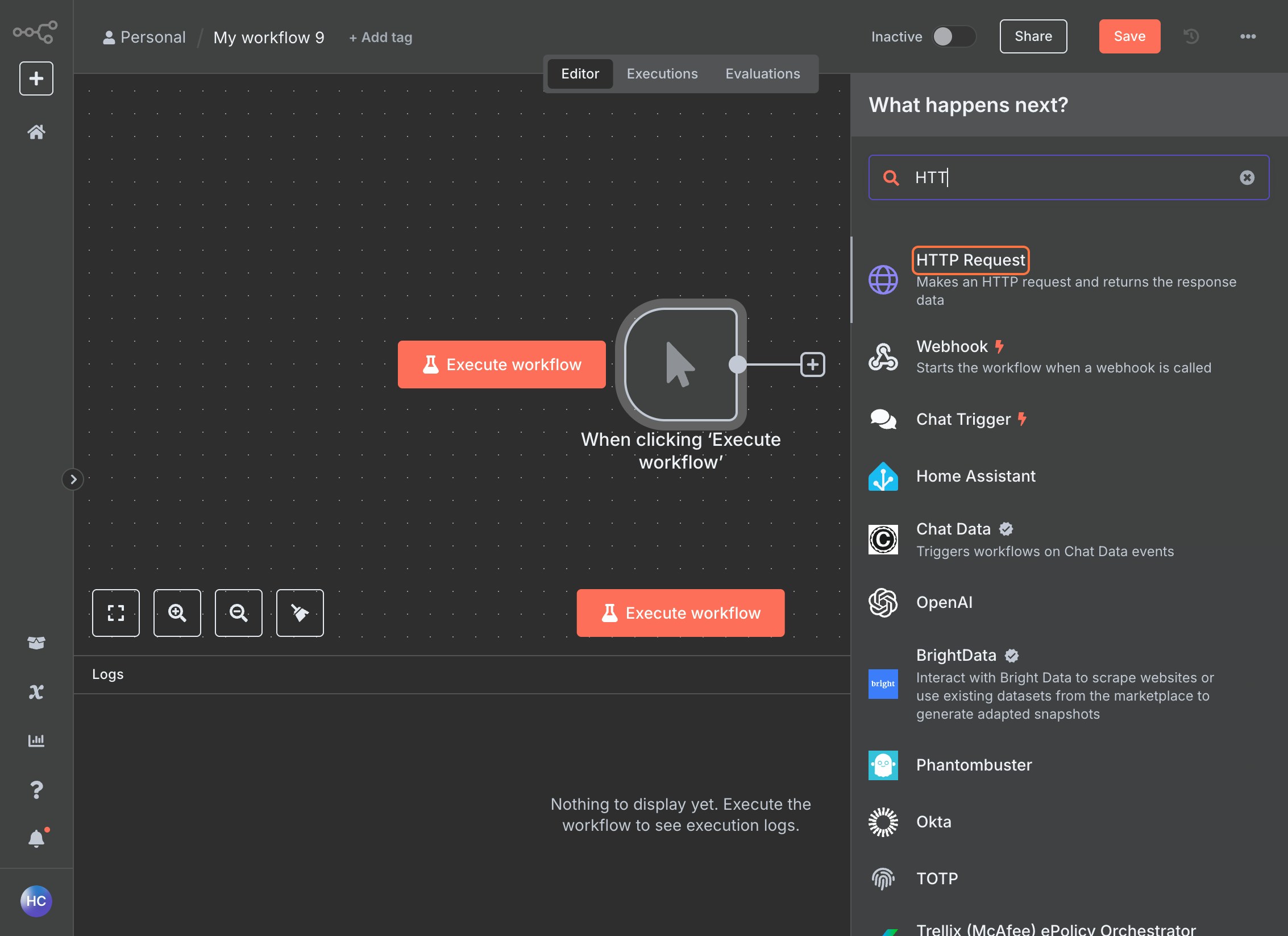
Configure the URL
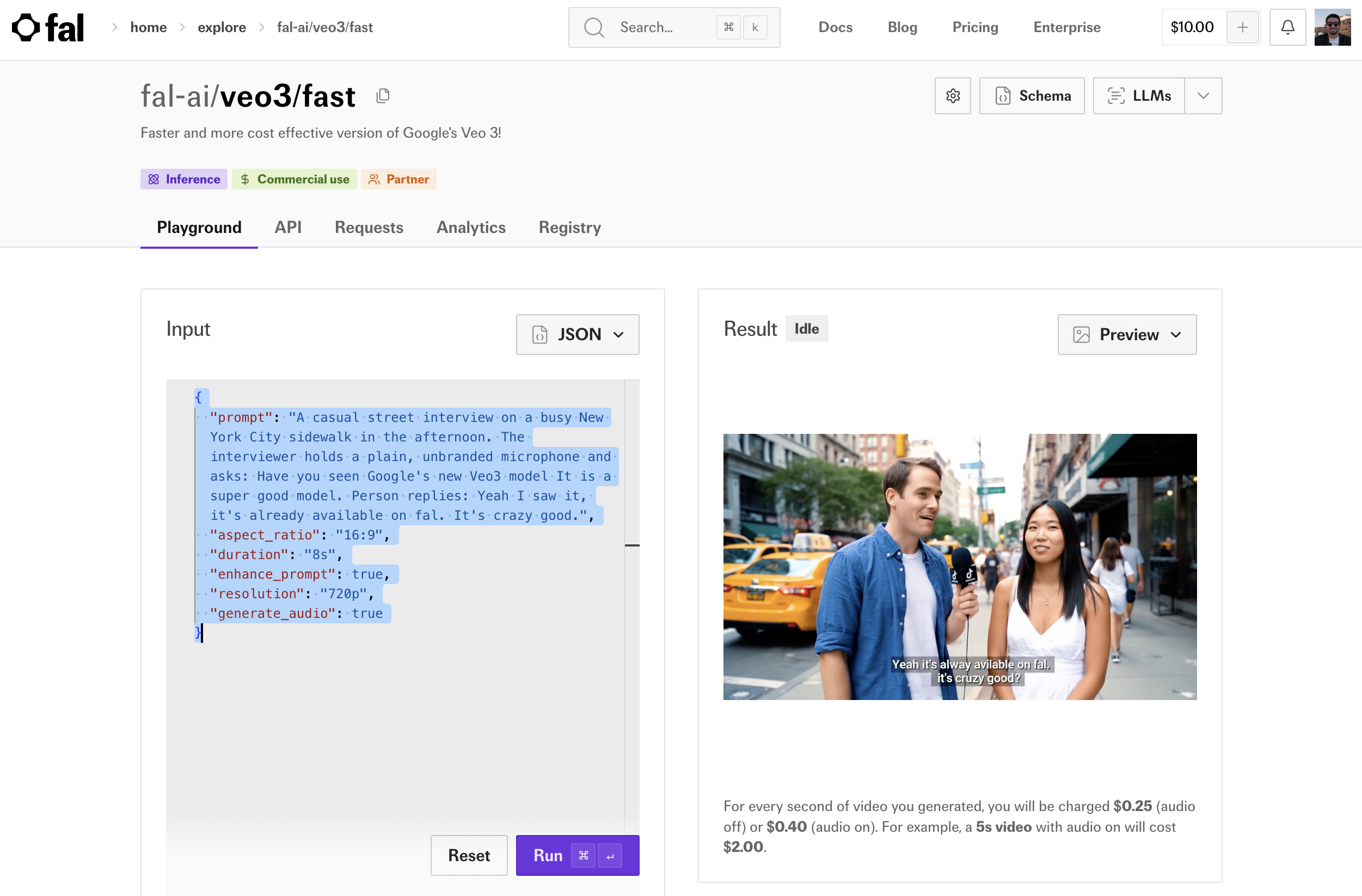
Navigate to fal.ai and select your desired model (e.g., 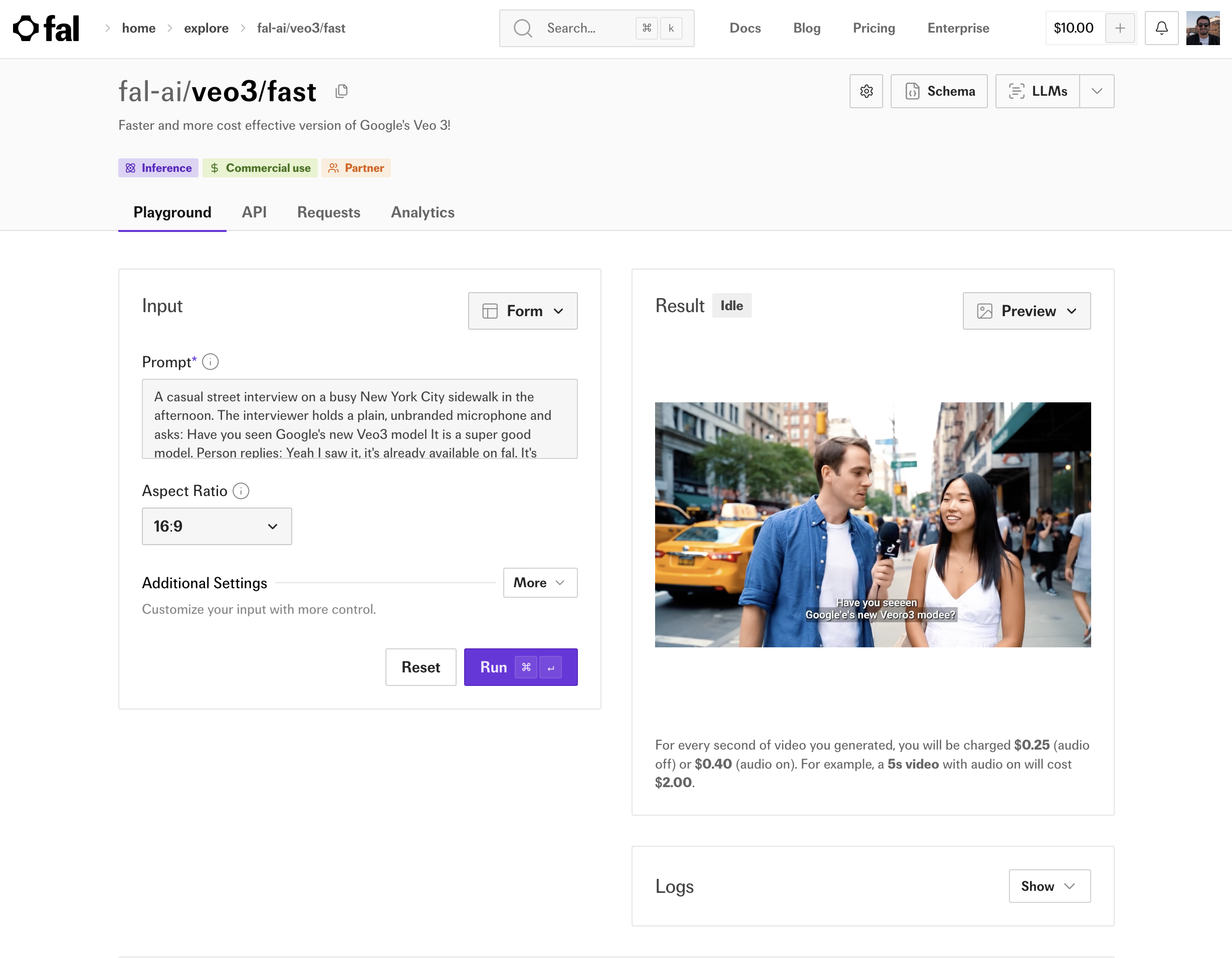
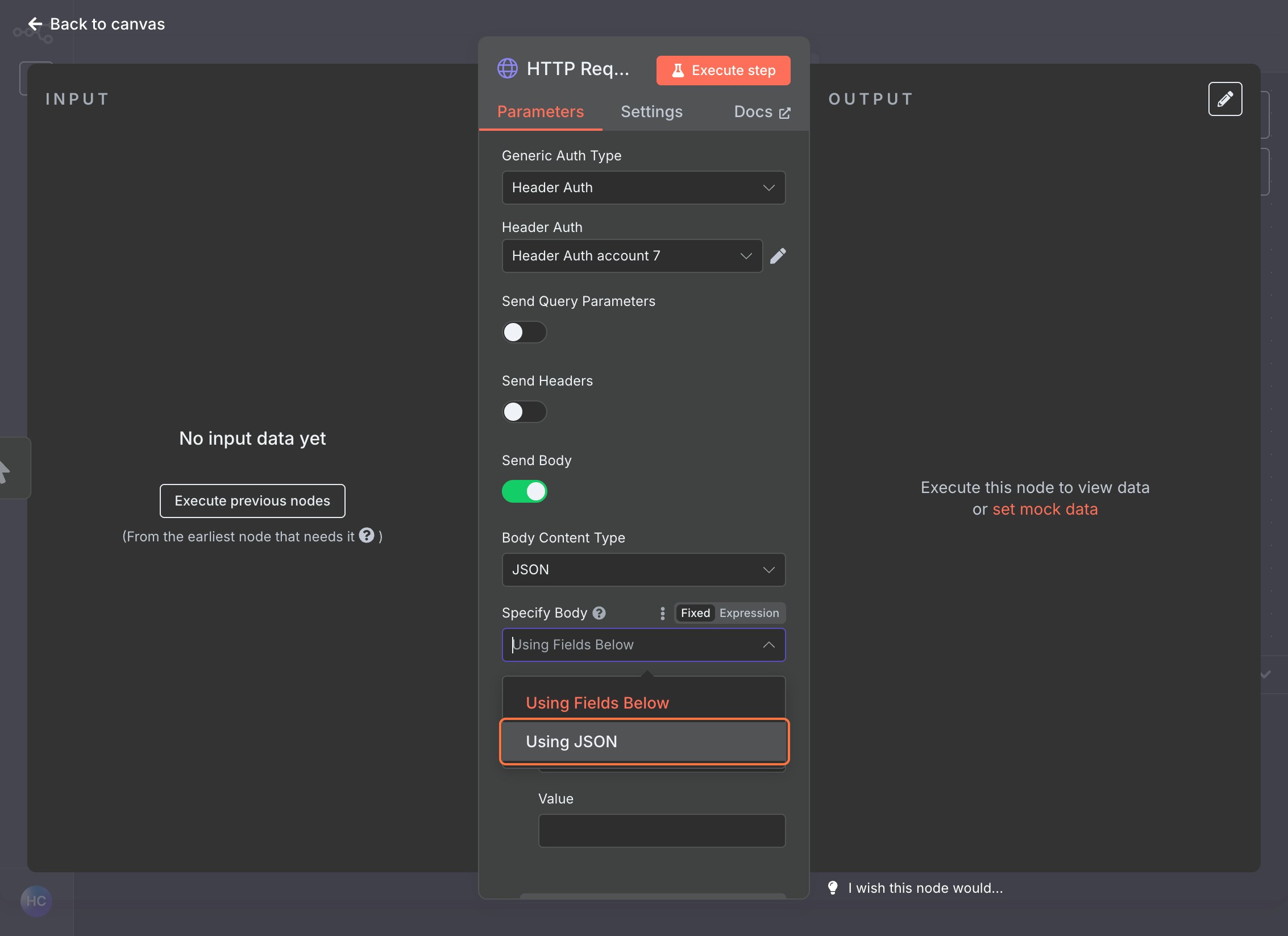
fal-ai/veo3/fast)Click on the API tab, select “HTTP (cURL)” and “Submit a request”. Copy and save the URL and data JSON as those will be needed for later.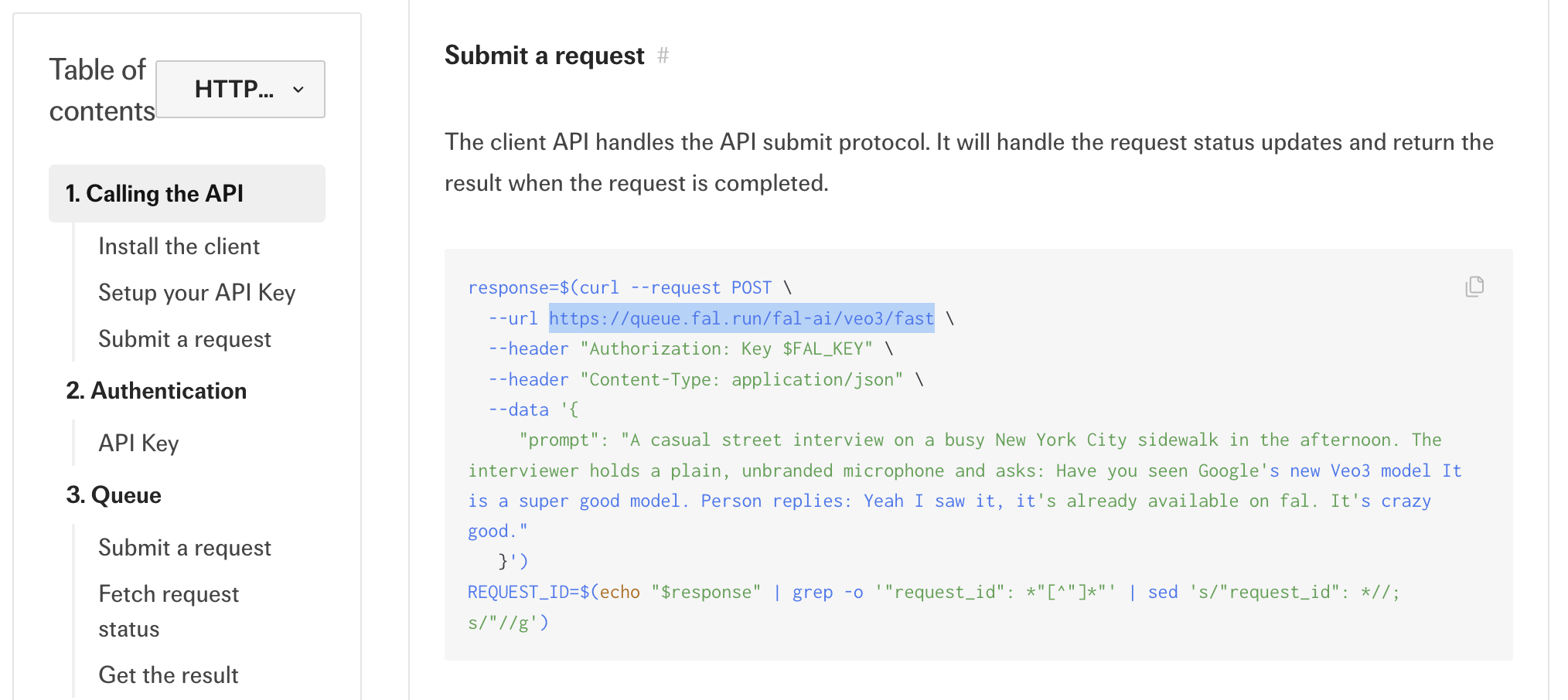
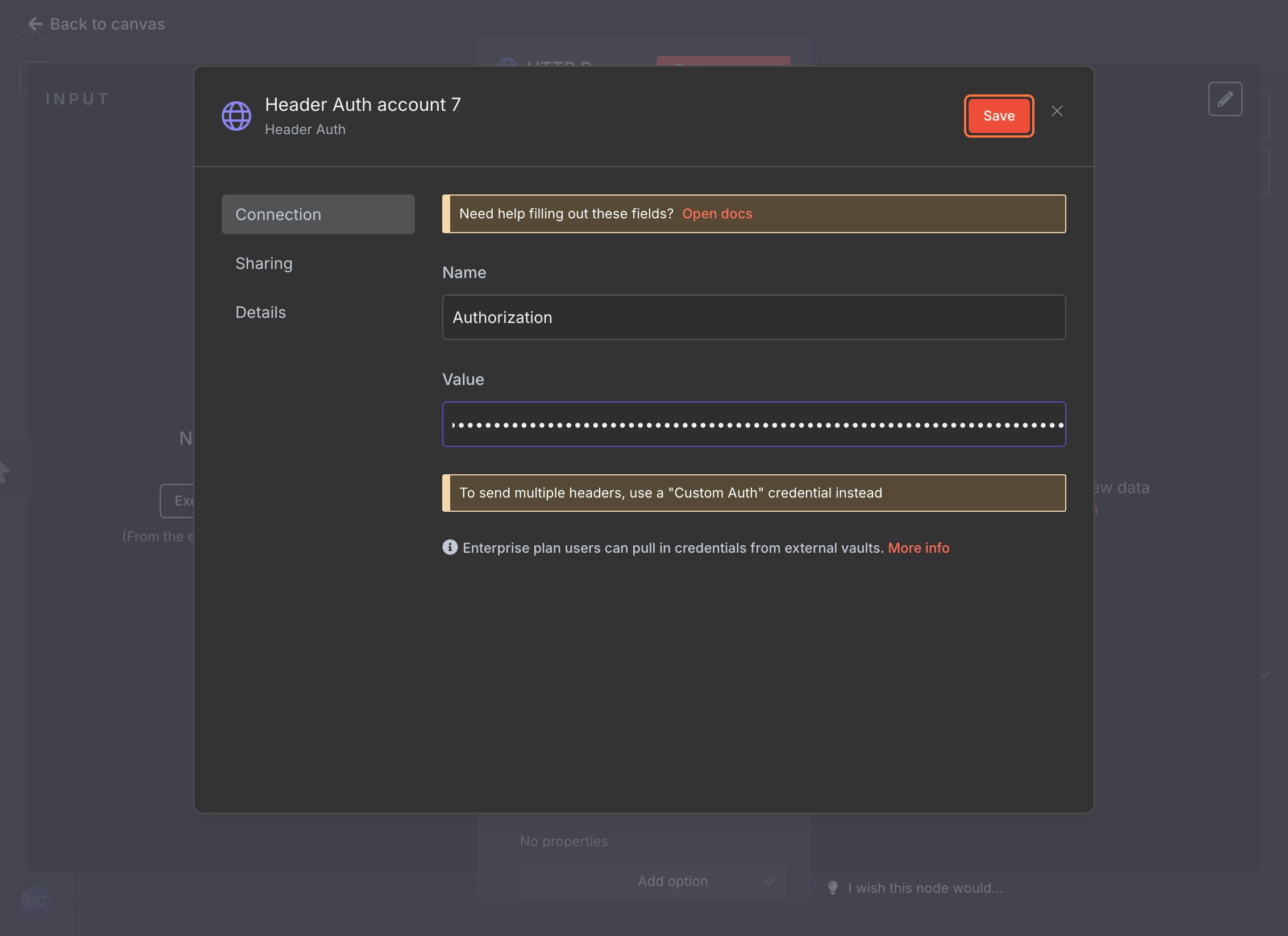
Set Up Authentication
Navigate to fal.ai API Keys, create a new key and copy its value.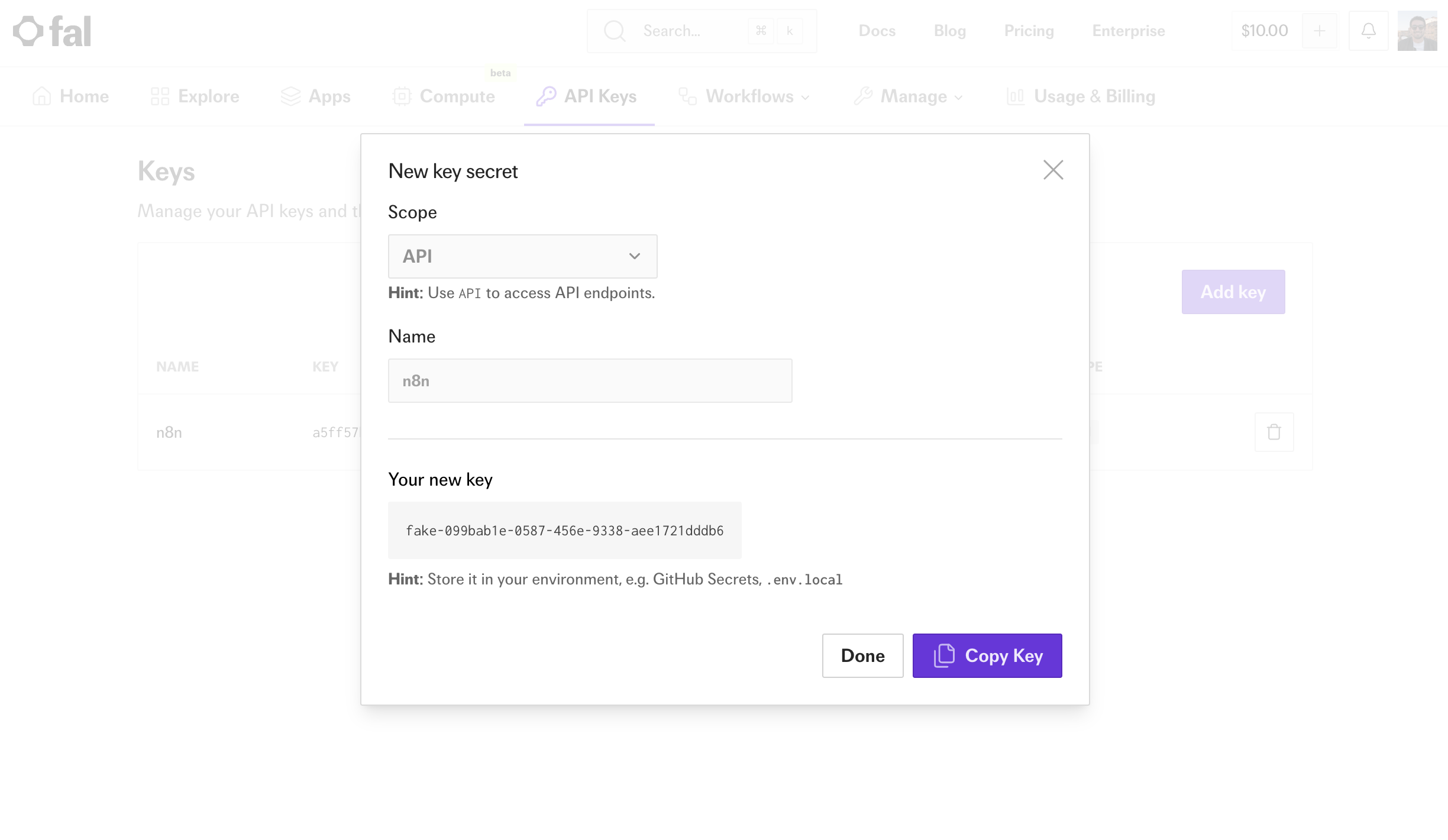
Configure Request Body
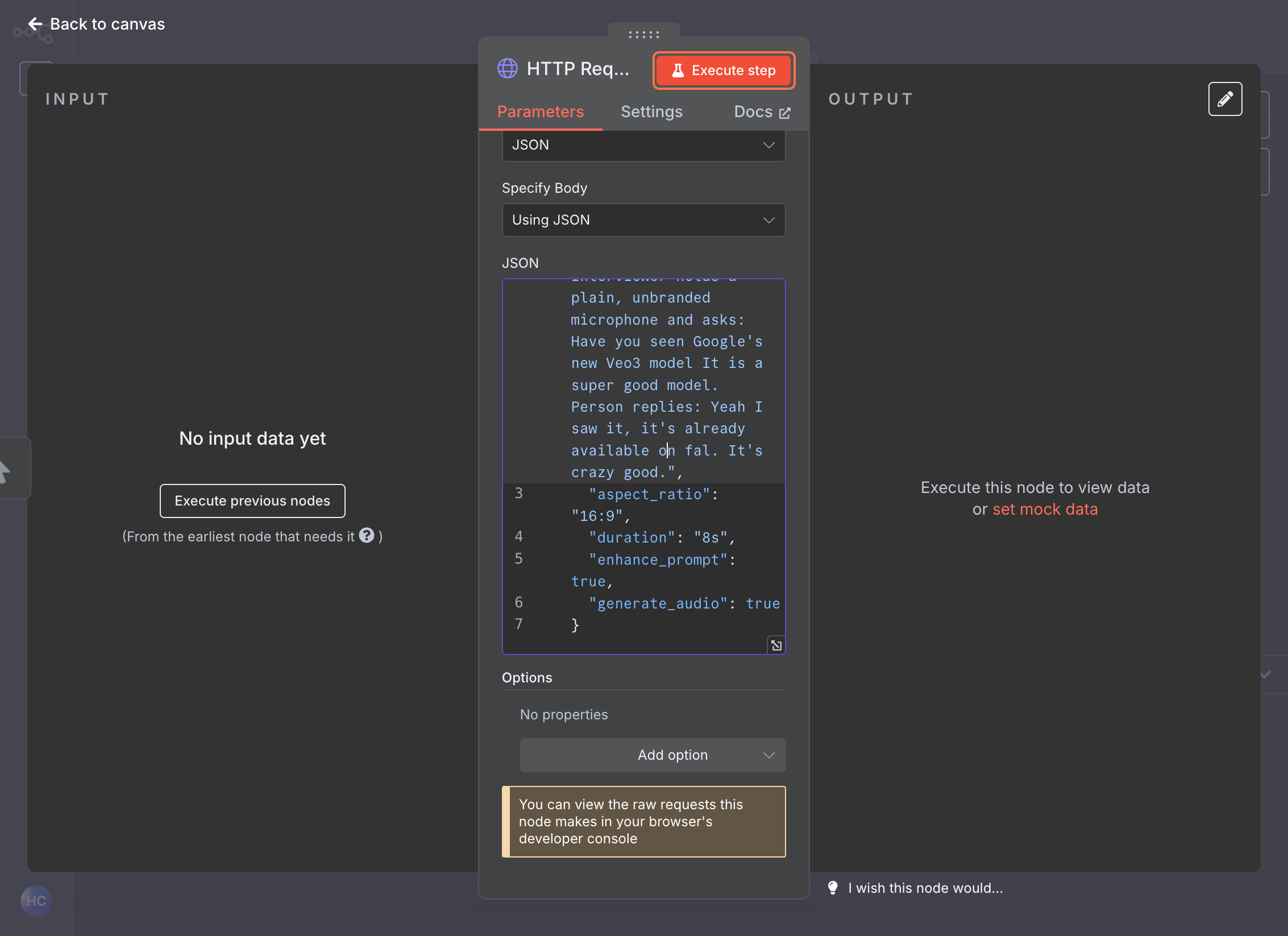
Execute the Node
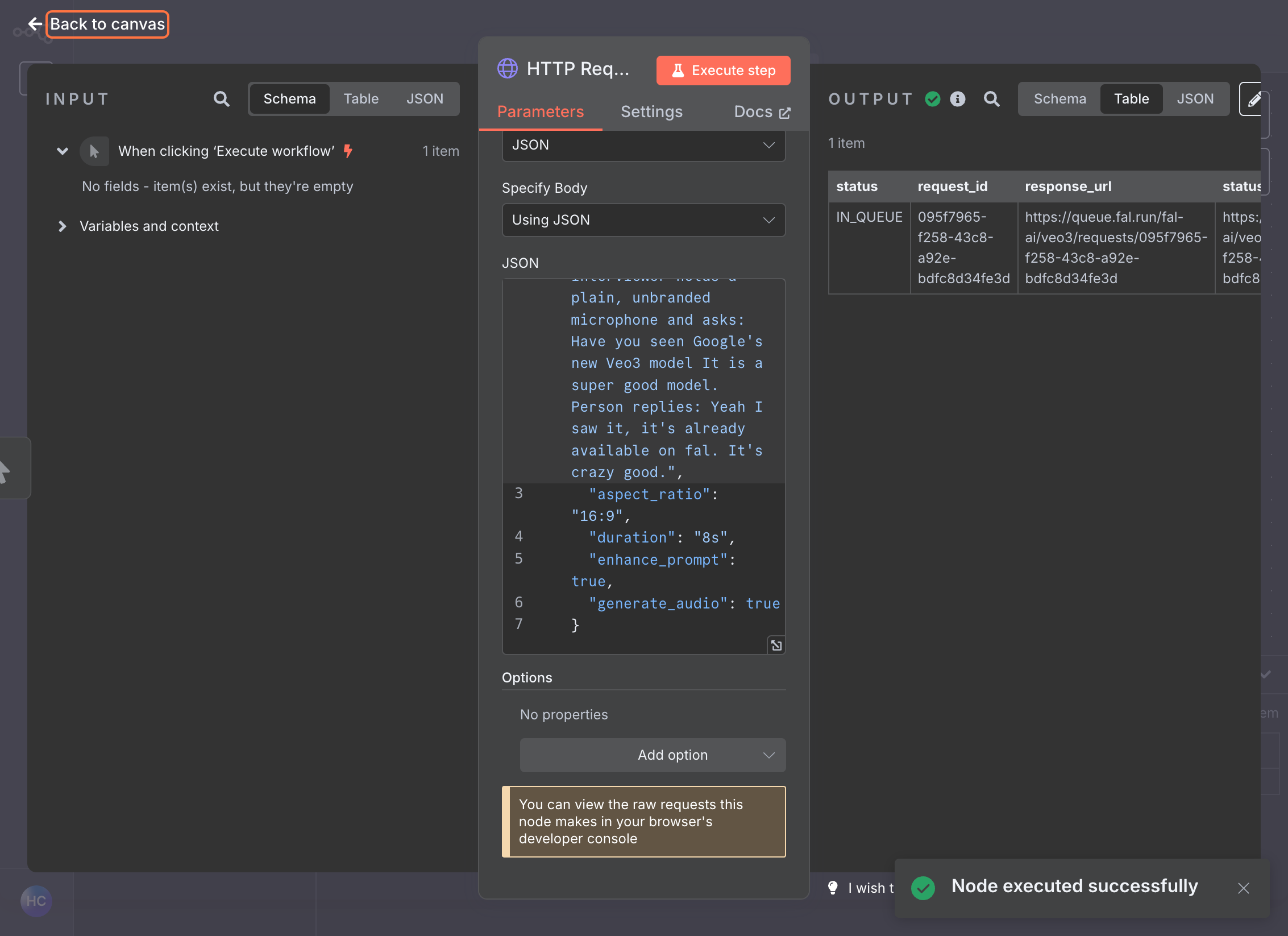
Step 3: Check Status (GET)
Add Second HTTP Request Node
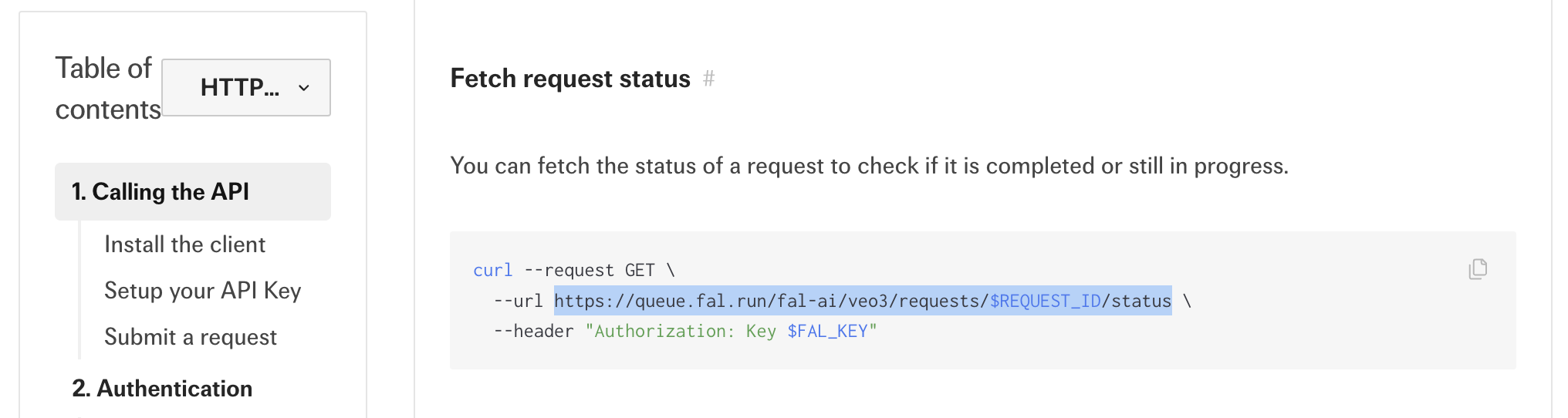
Configure Status Check URL
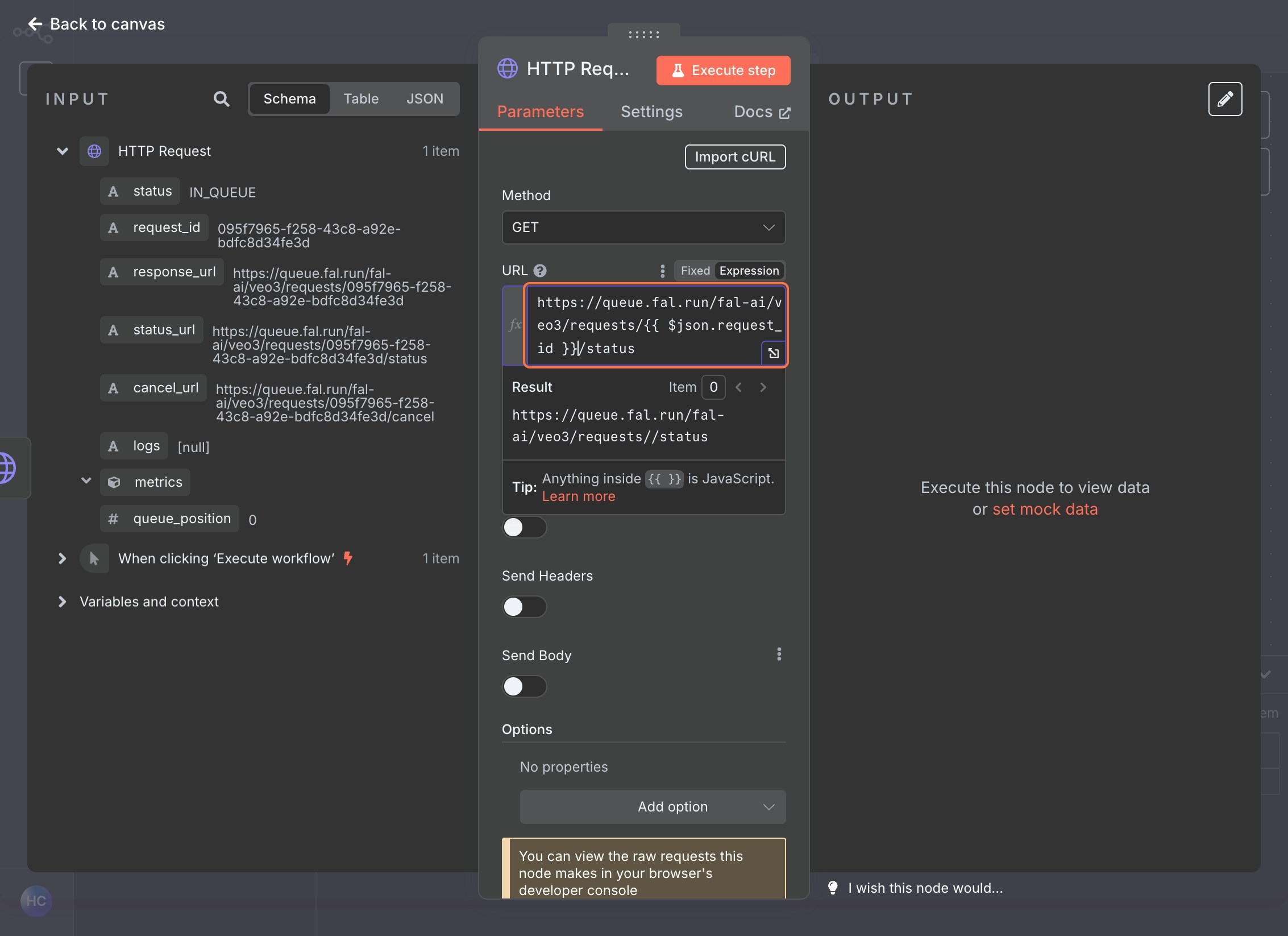
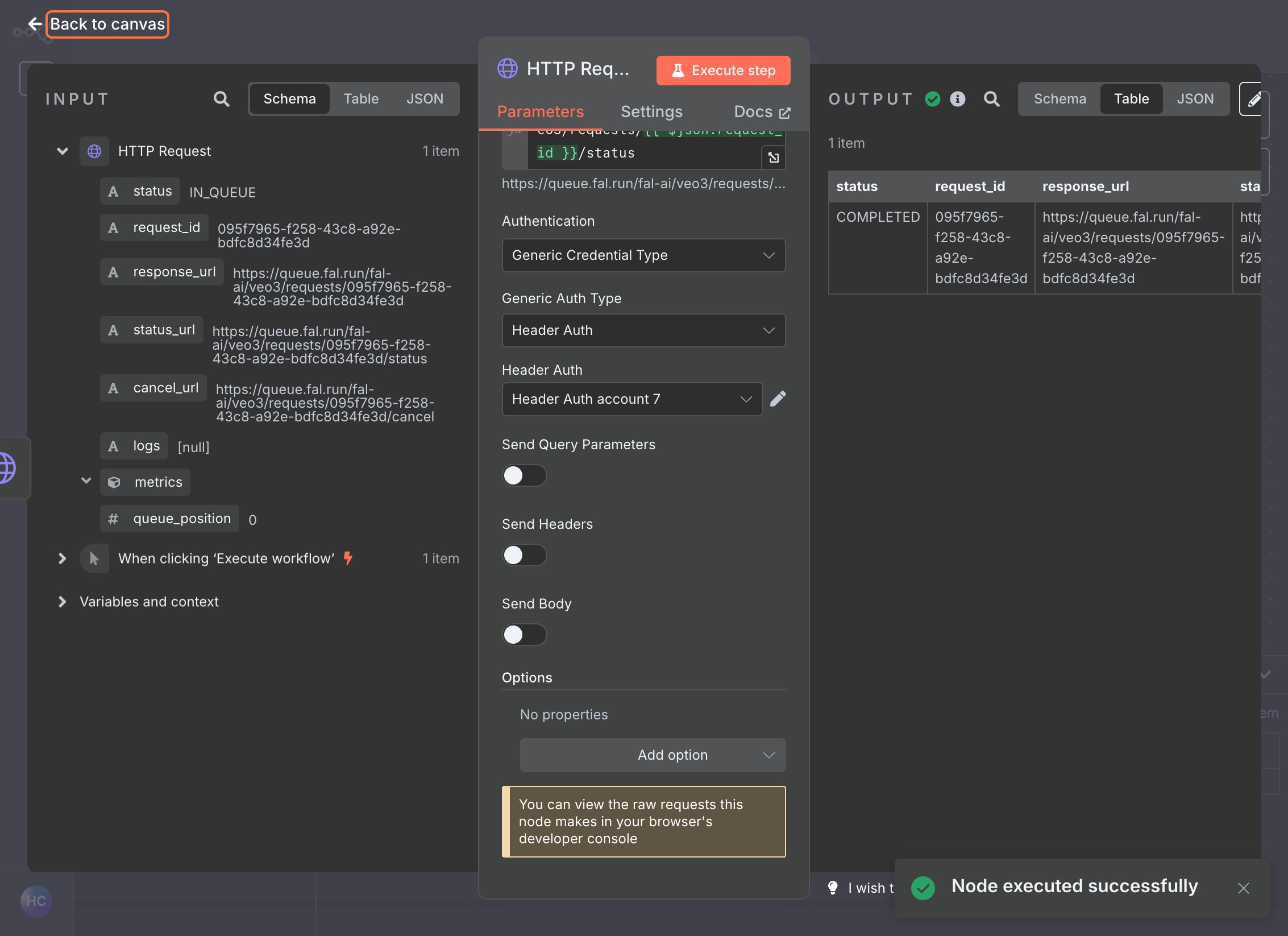
Set Authentication
Execute the Node
- This will check the status of your generation request.
Step 4: Retrieve Result (GET)
Add Third HTTP Request Node
- Add a final HTTP Request node
- Set the Method to
GET
Configure Result URL
- Use the result URL provided in the status response by setting the URL to
{{ $json.request_url }}
Set Authentication
- Use the same Header Auth credential
Execute the Node
This will retrieve your final generated content.Testing Your Workflow
Best Practices
- Error Handling: Add error handling nodes to manage failed requests
- Delays: Consider adding Wait nodes between status checks to avoid overwhelming the API
- Conditional Logic: Use IF nodes to check status before proceeding to result retrieval
- Data Transformation: Use Set nodes to extract and format specific data from responses
Troubleshooting
- 401 Unauthorized: Check that your API key is correctly set in the authentication header
- Request ID Missing: Ensure the first POST request completed successfully and returned a request ID
- Status Still Processing: Add appropriate delays between status checks
- Invalid JSON: Verify your JSON payload matches the model’s expected format
Next Steps
Once you have a working workflow, you can:- Connect it to external triggers (webhooks, schedules, etc.)
- Integrate with other services in your n8n workflow
- Add data processing and transformation steps
- Set up notifications for completed generations